15. A Small Note on Testing
A Small Note on Testing
In lesson the Storing Data in SQLite lesson, you were introduced to the idea of unit tests that let you test whether a small piece of code works as you expected.
In the exercises for this lesson, you’ve been provided with unit tests that test the functionality of your TaskContentProvider. There are tests for the individual functions you’ll implement (like insert and delete) as well as tests to see if you’ve registered the ContentProvider correctly and if your UriMatcher is working as it should.
All of these tests are kept in the src > androidTest folder in the TestTaskContentProvider class.
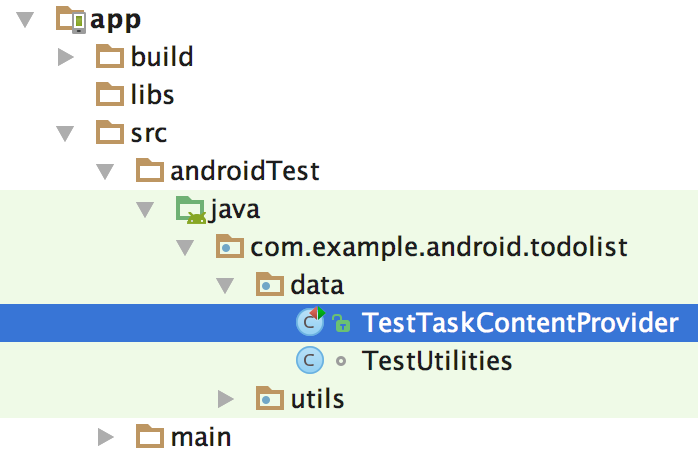
Location of TestTaskContentProvider.
To enable a test for a certain function, just uncomment that particular test by highlighting the text and selecting Code > Comment with Line Comment, as in the image below.
Note: If you uncomment some text code, and received some red lines indicating errors, you likely have to import some classes to complete the test code.
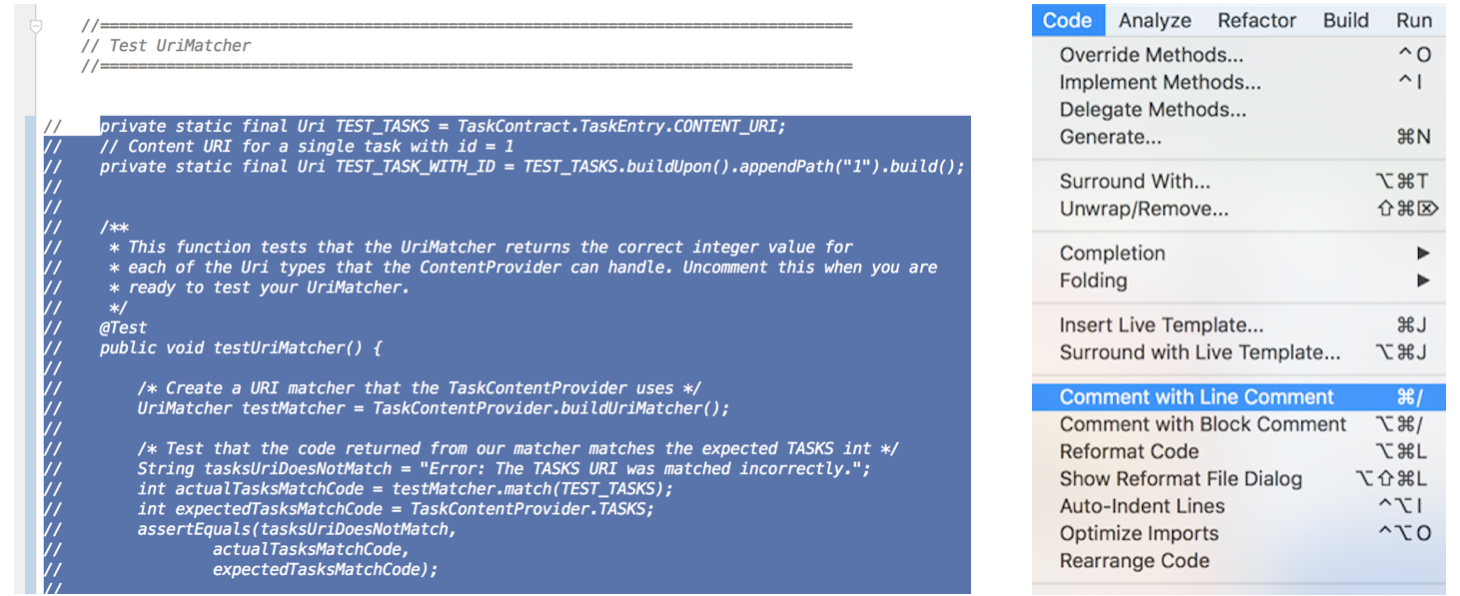
(Left) Highlight desired test code. (Right) Uncomment the test you want to run.
To Run a Test
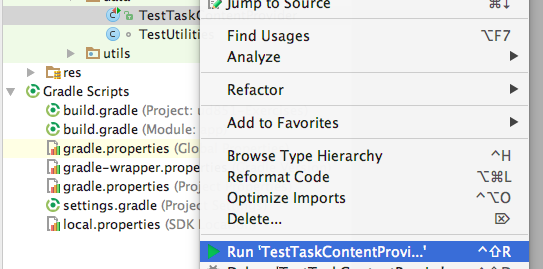
To run all the tests in a class, right click on the class name of the test and select Run <TestClassName> as seen below: